

Cloud Server Hostname Management: Use Hostnames Instead of IPs
Last year, a client managed over 20 cloud servers solely by IP addresses. Every time they needed to log in, they had to check an Excel spreadsheet. One day, they meant to restart the cache server — but restarted the database instead. The business was down for ten minutes.
"If only the servers had names," they said.
Servers do have names — hostnames. But most people only look at the IP. The hostname is either blank or ignored. It's one of the simplest things you can set up, yet it makes a huge difference in day-to-day operations.
01 IPs Are for Machines — Hostnames Are for Humans
Which is easier to remember and identify: 172.31.8.102 or web01-prod? IPs are addresses for machine communication. Hostnames are identity tags for operators — they tell you what the server does at a glance.
Without hostnames, 20 servers are 20 meaningless numbers. With hostnames, they become 20 meaningful, identifiable resources. In an emergency, that split‑second recognition can mean the difference between fixing a problem and making it worse.
02 What Makes a Good Hostname
The core principle of a good naming scheme: at a single glance, you know where it is, what it does, and which one it is.
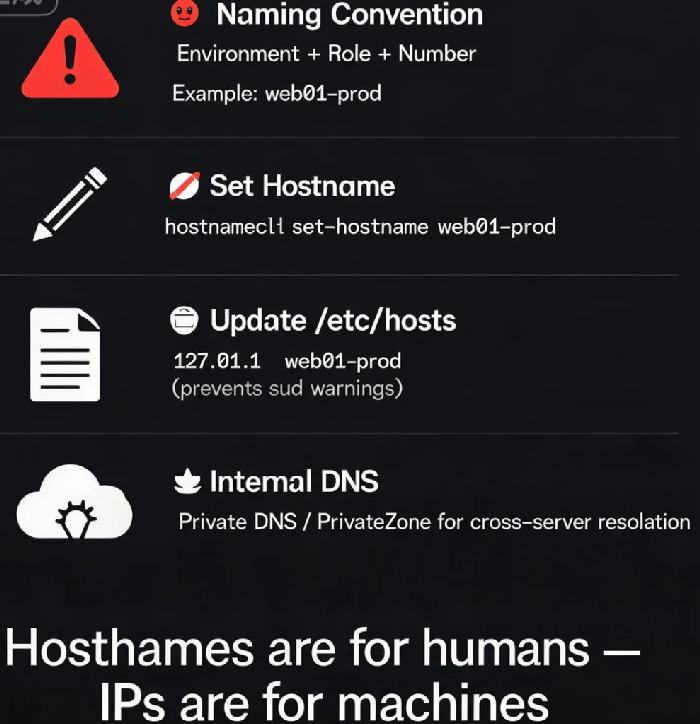
Environment + Role + Number:
web01-prod: production environment, first web serverdb01-prod: production environment, first database servercache01-staging: staging environment, first cache server
Common role abbreviations:
web: web server (Nginx/Apache)app: application server (business code)db: database server (MySQL/PostgreSQL)cache: cache server (Redis/Memcached)lb: load balancerworker: task processing server
IP‑based suffixes: Sometimes the IP segment is appended to show location or network zone.
03 Making Hostname Changes Permanent
Running hostname changes the name temporarily — it resets on reboot. For a permanent change, use hostnamectl.
Check current hostname:
bash
hostnamectlhostname
Set a permanent hostname:
bash
sudo hostnamectl set-hostname web01-prod
The change takes effect immediately for new terminal sessions. Some cloud providers' agent or DHCP services may override hostnames — you may need to disable those or add additional configuration to make it stick.
Don't forget /etc/hosts: After changing the hostname, sudo may complain that it can't resolve the hostname because the system can't find a local mapping. Edit /etc/hosts to add an entry for the new hostname:
text
127.0.0.1 localhost
127.0.1.1 web01-prod
Restart the session and the warning will disappear.
04 Internal DNS: Making Hostnames Actually Usable
A hostname is only useful on the machine itself if no one else can resolve it. To make hostnames work across the entire infrastructure, you need internal DNS.
Cloud provider internal DNS:
Alibaba Cloud PrivateZone
Tencent Cloud Private DNS
AWS Route 53 Private Hosted Zones
You can add A records mapping hostnames to internal IPs. Once configured, any server in the same VPC can reach each other by hostname instead of IP.
The Bottom Line
That client later re‑organised their hostnames and configured Private DNS. They never had to check the Excel sheet again. "Now when I see web01-prod, I know exactly what it is," they said.
The cost of setting up hostnames is near zero — a name change and a DNS entry. The efficiency gain is permanent. Use hostnames instead of IPs. It's the first step toward making your infrastructure human‑friendly. Does your server have a name?
