

Cloud Server Time Wrong? NTP Sync Configuration and Troubleshooting
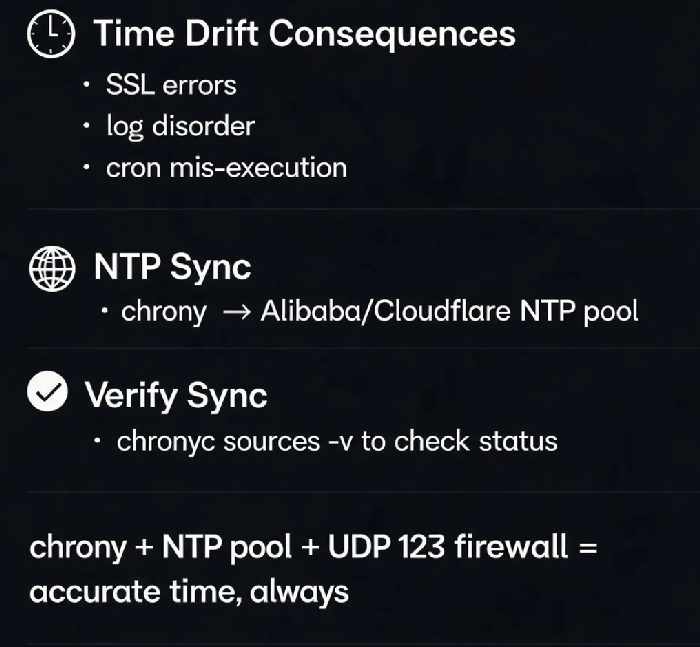
Last year, a client's SSL certificate suddenly failed. HTTPS websites were inaccessible. After hours of debugging, we found the server's system time was five minutes slow. The certificate itself was valid, but the time deviation meant browsers treated it as "not yet valid" .
This is one of the most overlooked yet far‑reaching issues in cloud operations. A drifting system clock might seem trivial, but its effects ripple across everything from authentication to log analysis.
01 What Can Go Wrong When Time Drifts?
SSL/TLS certificate validation fails – Browsers and servers rely on accurate time for TLS handshakes. If the system clock falls outside a certificate's validity window, browsers show security errors .
Logs become incoherent – When server times differ, logs from multiple machines can't be arranged chronologically. This makes security forensics nearly impossible and complicates incident response .
Scheduled tasks run at the wrong time – Cron jobs and distributed schedulers may execute early, late, or multiple times.
Time‑sensitive protocols refuse connections – Kerberos authentication has a default 5‑minute time skew tolerance. Beyond that, legitimate requests are rejected .
Cloud API requests fail – Some cloud services enforce a 15‑minute time offset limit; requests outside that window are rejected .
02 NTP in a Nutshell
NTP (Network Time Protocol) synchronises computer clocks over the Internet. It uses a hierarchical time source system called stratum – stratum 1 connects directly to a reference clock (e.g., GPS/atomic), stratum 2 gets time from stratum 1, and so on .
The client measures network delay and clock offset by exchanging timestamps with the server. This offset is then used to adjust the local clock. Most Linux distributions now prefer chrony over the older ntpd, as it synchronises faster and handles network instability, virtual machines, and intermittent connectivity better .
Many cloud providers offer internal NTP servers reachable within a VPC, reducing latency and improving accuracy compared to public time sources .
03 Quick Diagnostics
Check time and timezone:
bash
# Show current system timetimedatectl# Show hardware clockhwclock --show
If you have chrony running:
bash
# Check synchronisation statuschronyc tracking# View available sourceschronyc sources -v
The offset field shows the difference from the NTP server – close to 0 is ideal .
If you have ntpd running:
bash
# View active peer statusntpq -p
This is often the fastest way to spot a time drift problem .
04 Configuration with chrony
Install chrony:
bash
sudo apt install chrony # Ubuntu/Debiansudo yum install chrony # CentOS/RHEL
Edit /etc/chrony/chrony.conf and specify time sources. For a server in China, Alibaba Cloud's NTP server often gives lower latency than global pool servers :
text
# Use regional cloud NTP for lower latency
server ntp.aliyun.com iburst
server time.cloudflare.com iburst
The iburst option speeds up the initial sync .
Configure firewall – NTP uses UDP port 123:
bash
sudo ufw allow 123/udp # Ubuntusudo firewall-cmd --add-service=ntp --permanentsudo firewall-cmd --reload # CentOS/RHEL
Start and verify:
bash
sudo systemctl enable --now chronydsudo chronyc sources -v
A line starting with ^* shows the current synchronisation source.
05 Troubleshooting Common Issues
chrony refuses to sync when offset is too large – The maxdistance parameter defaults to 3 seconds; if the offset exceeds this, the server is rejected. Increase it in /etc/chrony.conf:
text
maxdistance 16.0
Restart chrony after the change.
ntpq -p returns "Connection refused" – try forcing IPv4:
bash
ntpq -p4
Servers stuck at stratum 16 – this indicates the server is unsynchronised. Check firewall UDP port 123 and that time sources are reachable .
The Bottom Line
That client corrected the system time and reloaded the certificate. HTTPS access was restored immediately. "The certificate was fine," they said. "The server was just slow."
A ten‑minute NTP setup saves hours of debugging down the line. Check your server time today – you might be surprised what you find.
