

Changing a CloudFront configuration can look routine until it reaches production. A new cache policy may reduce the cache hit ratio. A response headers policy may break a browser request. A new origin may return intermittent 5xx errors that never appeared in testing. When a team edits the production distribution directly, real users often become the first meaningful test group.
CloudFront continuous deployment reduces that risk. It lets you create a staging distribution from a primary distribution, test new CDN settings with selected requests, and promote the validated configuration only after the results are acceptable.
This guide explains how primary and staging distributions work together, how header-based and weighted traffic routing differ, what to monitor during a release, and how to build a practical rollback process.
What Is CloudFront Continuous Deployment?
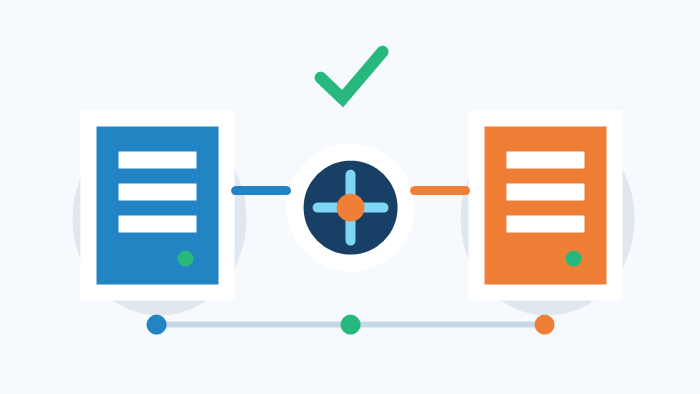
CloudFront continuous deployment uses three related resources:
Primary distribution: the production distribution that currently serves normal traffic.
Staging distribution: a linked distribution used to test proposed configuration changes.
Continuous deployment policy: the policy that decides which requests are routed to the staging distribution.
The staging distribution is not a separate website that visitors need to access manually. Users continue to request the production domain. CloudFront evaluates the continuous deployment policy and sends qualifying requests to the staging distribution while the remaining requests continue through the primary distribution.
This approach is useful for testing cache policies, cache behaviors, origin settings, response headers policies, compression, geographic restrictions, and other supported distribution changes. Instead of exposing every visitor to an unverified configuration, a team can test with internal requests first and increase exposure gradually.
Primary Distribution, Staging Distribution, and Policy
Primary distribution
The primary distribution is the production resource. Its domain name and alternate domain names continue to serve users during the test. Unless a request matches the continuous deployment policy, CloudFront processes it with the primary configuration.
Staging distribution
The staging distribution begins as a copy of the primary distribution. You modify the staging configuration instead of editing production directly. It remains associated with the primary distribution and is intended for controlled validation, not as a permanently independent production distribution.
Continuous deployment policy
The policy connects the primary and staging distributions and defines how requests are selected. CloudFront supports two traffic-routing approaches: header-based routing and weight-based routing.
Header-Based Routing vs. Weighted Traffic Splitting
Header-based routing
Header-based routing sends a request to the staging distribution when it contains the configured HTTP header and value. It is well suited to internal verification because regular visitors remain on the primary distribution.
Common uses include:
QA testing from a browser extension or API client;
checking a new cache behavior before public exposure;
validating response headers and CORS behavior;
testing a new origin with a controlled group;
confirming that security rules do not block legitimate requests.
The test header should be difficult for ordinary users to guess. Do not place it in public frontend code, analytics events, public documentation, or client-side logs. It is a routing control, not an authentication mechanism.
Weight-based routing
Weight-based routing sends a percentage of eligible production traffic to the staging distribution. It is useful after internal testing has passed and the team needs real traffic to validate cache behavior, origin load, latency, or business success rates.
Start with a small percentage that still produces enough requests to measure. A very low percentage may be appropriate for a high-traffic service but almost useless for a site with limited daily traffic. The correct weight depends on traffic volume, risk, test duration, and the importance of the affected paths.
Where supported, session stickiness can help repeated requests from the same viewer remain on the same distribution during the test. This reduces inconsistent experiences in multi-step workflows.
| Test objective | Recommended routing method |
|---|---|
| Internal QA with no public exposure | Header-based routing |
| Validate a specific browser or API request | Header-based routing |
| Measure real cache and origin behavior | Low weight-based routing |
| Compare error rates under production load | Weight-based routing |
| Test a sensitive login or payment flow | Header-based first, then a carefully controlled weight |
How to Configure a Safe CloudFront Release
Step 1: Record the production baseline
Before changing anything, record the current configuration and operational baseline. At minimum, capture:
4xx and 5xx error rates;
cache hit ratio;
request volume and bandwidth;
origin latency and origin error rate;
success rates for important business actions;
the current distribution configuration and policy identifiers.
Without a baseline, it is difficult to decide whether a staging result is normal or represents a regression.
Step 2: Create the staging distribution
Create a staging distribution from the primary distribution so both begin with comparable settings. Review the association before making changes. If production changes after the staging copy is created, confirm whether the staging test still represents the intended release.
Step 3: Change one release scope at a time
Modify only the settings required for the current release. Do not change the origin, cache key, compression behavior, and security headers in the same test unless they must be deployed together.
Smaller release scopes make failures easier to diagnose. If several variables change simultaneously, a lower cache hit ratio or higher error rate may be difficult to attribute to one setting.
Step 4: Run targeted tests with a request header
Create a header-based continuous deployment policy and route only authorized test requests to the staging distribution. Test both normal and failure paths, including:
cache hits and cache misses;
allowed and blocked HTTP methods;
query strings, cookies, and forwarded headers;
CORS preflight requests;
redirects and custom error responses;
large objects and partial-content requests where relevant;
signed URLs or signed cookies if the site uses private content.
Confirm the route using response headers, logs, distribution-specific behavior, or another reliable signal. Do not rely only on the page looking correct.
Step 5: Introduce a small percentage of real traffic
After targeted testing succeeds, switch to a low weighted percentage if real-traffic validation is appropriate. Keep the initial exposure small, observe long enough to collect a meaningful sample, and increase it only when staging metrics remain within the agreed thresholds.
Avoid changing the traffic percentage and the staging configuration at the same time. Change one variable, observe the results, and record the decision.
Step 6: Promote or roll back
If the staging configuration performs as expected, review the differences between the primary and staging distributions and promote the staging configuration to production. Remove temporary test settings that should not become part of production.
If metrics deteriorate, disable the continuous deployment policy or return all traffic to the primary distribution. Investigate the staging configuration before trying again. A rollback should follow documented thresholds, not an improvised debate after users report problems.
Metrics to Monitor During the Test
CDN metrics alone are not enough. A change can leave the viewer-facing error rate stable while increasing origin requests, database load, or application latency.
| Metric | What it may reveal |
|---|---|
| 4xx error rate | Path, authorization, cache-key, or forwarded-header problems |
| 5xx error rate | Origin failures, connection issues, or invalid origin configuration |
| Cache hit ratio | Unnecessary cache fragmentation or bypassing |
| Origin latency | Increased origin work or slower upstream responses |
| Request volume | Whether the staging sample is large enough |
| Bandwidth | Unexpected object-size, compression, or caching changes |
| Business success rate | Failures in login, checkout, download, API, or critical flows |
The observation window should match the site's real operating pattern. A low-traffic site may need a longer test. A service with strong peak periods should normally observe at least one representative peak before promotion.
Common Continuous Deployment Mistakes
Treating staging as a completely independent environment
The staging distribution is linked to the primary distribution, and continuous deployment has feature and configuration restrictions. Review current AWS documentation before designing the release process instead of assuming that every CloudFront feature can be tested in the same way.
Using too little traffic for too little time
A tiny weight is not automatically safer if it produces no useful evidence. Set the percentage according to actual request volume and the paths affected by the change.
Monitoring CloudFront but ignoring the origin
A cache-policy change may not immediately create 5xx errors, but it can sharply increase origin requests. Watch origin CPU, connection counts, application latency, database pressure, and upstream costs together with CloudFront metrics.
Publishing without rollback thresholds
Define stop conditions before the test begins. Examples include a sustained increase in staging 5xx errors, a material drop in cache hit ratio, origin latency beyond the accepted limit, or a decline in a critical API success rate.
Testing too many variables at once
Large batches make troubleshooting slow. Keep the release small enough that the team can explain why each metric changed.
A Practical Release Checklist
Save the current production configuration and metrics.
Create a staging distribution from the primary distribution.
Apply only the changes included in this release.
Use header-based routing for internal validation.
Test successful requests, errors, redirects, caching, and important application flows.
Move to a low weighted percentage when real traffic is needed.
Compare staging and primary metrics, including origin and business metrics.
Promote only after the agreed observation period.
Continue monitoring after promotion and keep a documented rollback path.
The purpose of this workflow is not to add ceremony. It converts one high-risk production change into a sequence of observable and reversible decisions.
Frequently Asked Questions
Does CloudFront continuous deployment change the website domain?
No. Visitors continue to use the production domain. CloudFront applies the continuous deployment policy and routes qualifying requests to the staging distribution behind the scenes.
Can continuous deployment replace a test environment?
No. Unit tests, integration tests, and a separate preproduction environment are still useful. Continuous deployment is best treated as a final validation layer for supported CDN configuration changes under realistic traffic conditions.
When should a staging test be rolled back?
Common signals include higher 5xx rates, a significant drop in cache hit ratio, abnormal origin latency or load, and lower success rates for critical requests. Exact thresholds should be based on the site's established baseline.
Should every release use weighted traffic?
No. Header-based routing may be enough for low-risk configuration checks. Weighted traffic is most useful when the change must be evaluated with real request patterns, cache behavior, or production-scale origin load.
Conclusion
CloudFront continuous deployment provides a safer way to release supported CDN configuration changes. A staging distribution isolates proposed settings, header-based routing supports controlled internal testing, and weighted traffic splitting provides evidence under real usage. Monitoring CloudFront, origin, and business metrics together makes the promotion decision more reliable.
If your site already uses CloudFront but lacks a repeatable release process, start with one small configuration change and define the test and rollback criteria before routing traffic. CloudFlew provides CDN services based on AWS CloudFront and can help evaluate deployment options according to existing domains, visitor regions, and traffic patterns. Current feature availability and service scope are governed by the applicable product pages, console settings, and service agreement.
References
AWS CloudFront Developer Guide: CloudFront continuous deployment workflow
AWS CloudFront Developer Guide: Work with a staging distribution and continuous deployment policy
AWS CloudFront Developer Guide: Learn how continuous deployment works
