

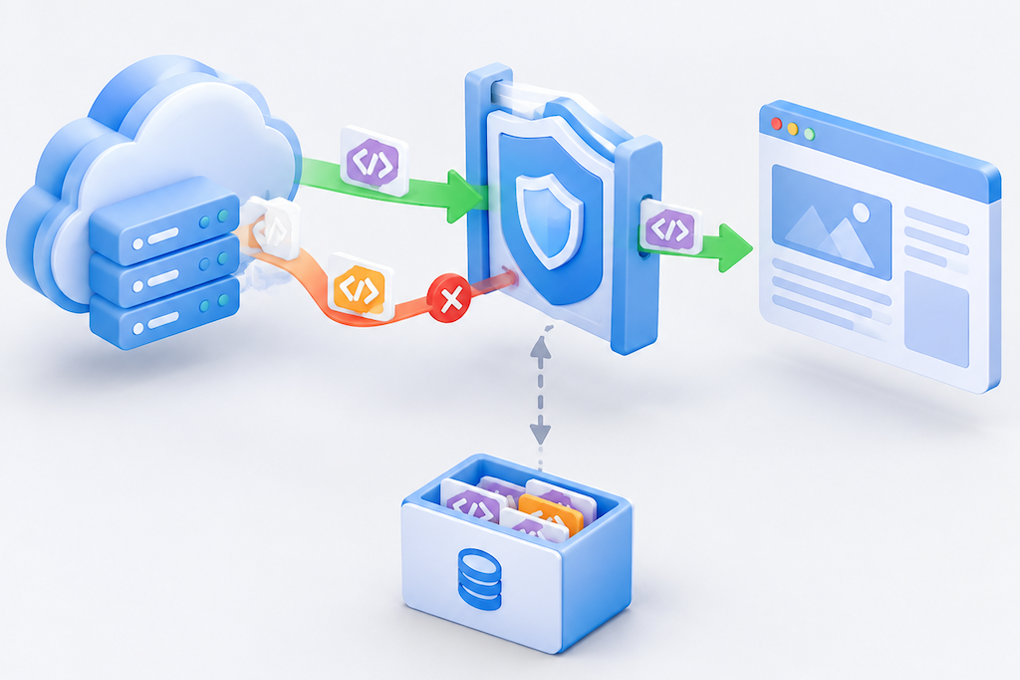
After moving assets to a CDN, the page opens but its buttons stop responding. A script may even show a 200 response in the Network panel while the Console reports a Content Security Policy violation. Another CDN purge will not necessarily make that script execute. First identify the policy the browser received and the resource it rejected.
CSP is enforced by the browser. A CDN can change resource addresses, response headers, or cached content, but the page’s effective policies determine whether a script is allowed to run. This guide is for website and CDN administrators. Addresses and configuration snippets are illustrative and must be adapted; they are not results from tests on your production environment.
Start with the directive named in the Console
Preserve the Console message and Network capture from one failing page load. Record the blocked URL, the directive named in the violation, and the document’s Content-Security-Policy response headers. Inspect the HTML document response rather than only the JavaScript file’s headers.
| Symptom | First place to inspect |
|---|---|
| An external script source is rejected | script-src-elem, script-src, and the actual asset origin |
| An inline script does not execute | Its nonce or hash and the exact inline content |
| An inline event handler is rejected | Attributes such as onclick and script-src-attr |
| Dynamic code execution is rejected | Calls such as eval() and the production build settings |
| Scripts run but an API call fails | connect-src, followed by the API’s CORS behavior |
Where present, script-src-elem governs script elements. Otherwise, the relevant fallback chain leads to script-src and then default-src. Follow the directive reported by the browser rather than guessing which configuration entry applies.[1][2]
CSP and CORS are separate checks. Adding Access-Control-Allow-Origin: * does not repair a CSP source restriction. After CSP is fixed, a resource can still fail because of CORS, integrity verification, or an incorrect MIME type. Continue from the specific remaining error.
Compare the document returned by the origin and the edge
Use GET requests to save both headers and HTML:
curl -sS -D edge-headers.txt -o edge.html https://www.example.com/

# Only with authorized origin access and an origin that accepts this connection:
curl -sS --resolve www.example.com:443:203.0.113.10 \
  -D origin-headers.txt -o origin.html https://www.example.com/
The IP address is reserved for documentation. --resolve changes the connection destination while retaining the URL hostname for Host, TLS SNI, and certificate verification. If the origin accepts only CDN traffic, use an approved diagnostic route. Do not open the origin publicly or add -k to bypass certificate checks.
Compare CSP and Report-Only headers, including repeated header fields. Inspect the HTML for CSP meta elements and the actual script URLs. Check whether the application, reverse proxy, security plugin, and CDN each add a policy.
Multiple enforced CSP policies apply independently. A more permissive additional policy does not override an existing restrictive policy. A policy supplied through a meta element may also continue restricting the document. For example, adding a CDN policy that permits an asset domain does not undo an origin policy that still excludes it.[1]
Redact cookies, sensitive URLs, and business data before sharing captured documents or headers outside a restricted support channel.
Check the actual asset origin after a domain change
'self' refers to the protected document’s own origin. A document on www.example.com and a script on static.example.net are not same-origin, even if one company operates both domains.
The following demonstrates a source allowlist for a simple page that loads external scripts without depending on inline JavaScript. It is not a replacement policy for a complex application:
Content-Security-Policy: default-src 'self'; script-src 'self' https://static.example.net; object-src 'none'; base-uri 'self'
Allow the specific origins you control and need. Avoid permitting every HTTPS site or a broad wildcard just to restore functionality. If an asset redirects, inspect the full redirect chain and final response. Test dynamically loaded chunks, analytics integrations, and other dependencies through real application paths.
If script-src-elem is present, modifying only script-src may not change the result. Policies using 'strict-dynamic' also change how supporting browsers propagate script trust and treat source lists. Adding a hostname is not a universal repair for such policies. Preserve the application’s nonce or hash trust model when making changes.[2]
Keep the nonce and the current HTML together
A nonce is an unpredictable value generated by the server for a response. The policy’s nonce and the nonce on an authorized script element must match:[1]
Content-Security-Policy: script-src 'nonce-REPLACE_PER_RESPONSE'; object-src 'none'; base-uri 'self'
<script nonce="REPLACE_PER_RESPONSE" src="https://static.example.net/app.js"></script>
Never use the placeholder as a fixed production value. Generate a fresh nonce for each response with a cryptographically secure random source, and use that same value in the response header and template. Do not indiscriminately add nonces to every script node: that could authorize an attacker’s injected script as well.
Caching can break this relationship. The HTML body might come from an earlier cached response while another layer generates a new nonce in the header. Updating only the security header can likewise leave script elements carrying an older value. Hard-coding a matching value may make execution resume, but it fails the requirement for a fresh nonce per response.
For dynamic pages using nonces, define which layer generates both the header and the body. If you cannot safely maintain them together for each response, consider bypassing shared caching for that HTML while continuing to cache fingerprinted assets. Account state and privacy requirements must be part of that design. Do not assume your CDN can securely rewrite HTML and nonces by default.
For genuinely static cached HTML, evaluate a hash-based policy or moving code out of inline scripts. A hash must correspond to the exact script content; whitespace or code changes can invalidate it. The build and deployment process must update the policy accordingly.[1][2]
Avoid treating unsafe-inline as a general repair
Adding 'unsafe-inline' or 'unsafe-eval' changes the security boundary and can conceal an incompatibility. First determine whether the rejected operation is an inline script, an event-handler attribute, or dynamic code execution.
Moving an onclick handler into an authorized script using addEventListener is often easier to constrain than broadly allowing inline handlers. If a development build uses eval-based tooling, inspect the production build configuration rather than weakening the browser’s policy to accommodate it.
A nonce authorizing a script element does not automatically authorize event-handler attributes. Evaluate hashes, unsafe-hashes, and third-party code individually, retaining the smallest policy that meets the application’s requirements.[2]
Observe a candidate policy with Report-Only before enforcing it
Back up the current application, web server, and CDN configuration. Deploy a candidate Content-Security-Policy-Report-Only response header to observe violations along normal business paths before enforcing the candidate policy more broadly.
Report-Only does not relax an already enforced policy, and it will not make a currently blocked script start working. It is an observation mechanism, not a bypass.[3]
Report-Only cannot be deployed through a meta element. If collecting reports, separately configure an appropriate reporting mechanism and verify browser support. Consider sensitive URLs and business data that reports might expose. A quiet homepage test does not establish compatibility for checkout, authentication, administration, or lazy-loaded features.
For Nginx configuration changes, test the configuration before reloading through your normal operational process. Scope CDN changes to a test hostname or limited path set first. Roll back to the previous known-good, secure configuration if needed rather than deleting CSP entirely.
Verify both policy behavior and application functionality
Test a fresh browser session and an existing tab. Confirm that:
All CSP policies delivered with the final document are intentional, with no forgotten duplicate header or meta restriction.
Scripts, dynamically loaded chunks, and API requests work, with the relevant violations gone from the Console.
The nonce matches the current document, without fixed-value reuse or mismatched cached versions.
Authentication, forms, and other critical paths work without permitting unrelated sources.
If a purge is needed, start with the affected HTML objects and verify that headers and bodies update together. A CDN purge does not remove old pages held by a browser cache or Service Worker; include those paths in the follow-up checks.
Document which directive blocked the resource, which layer supplied that policy, and which workflows passed after the change. Those details make the next asset-domain migration or build-tool upgrade much easier to validate before release.
References
References checked on October 21, 2026. Adjust examples to the existing policy and supported browsers.
