

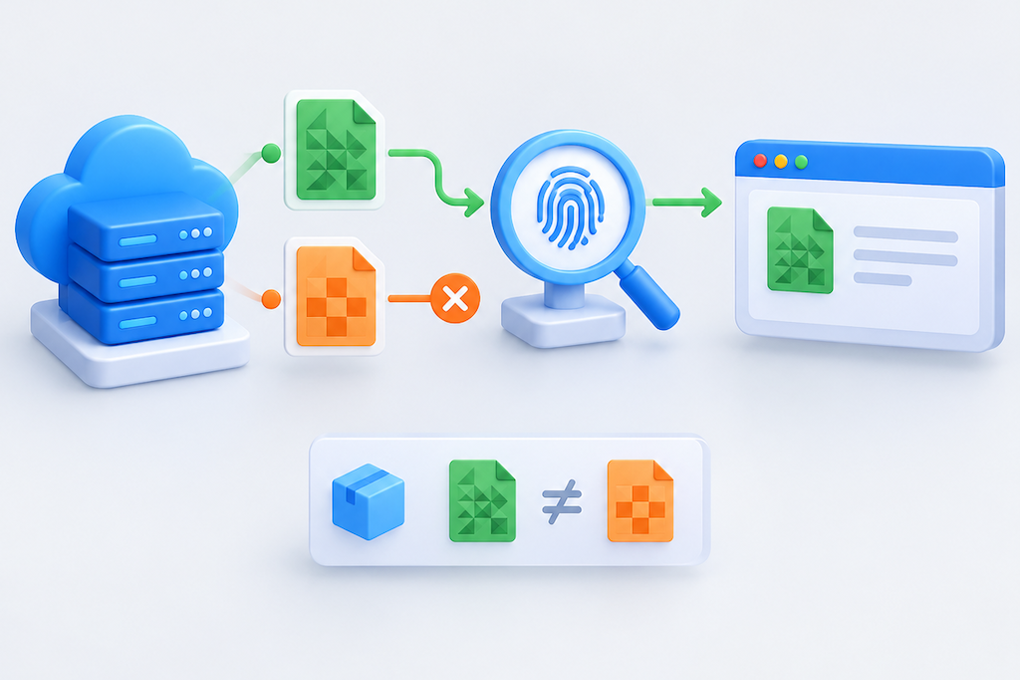
A JavaScript or CSS request returns 200, yet the browser refuses to use the file and reports that no matching integrity digest was found. Preserve the failing page and resource before changing anything. Removing the integrity attribute may hide the symptom while authorizing a file that differs from the release you intended to serve.
Subresource Integrity, or SRI, checks a downloaded resource against a digest declared by the page. This guide focuses on CDN delivery failures: changed file contents, missing cross-origin permissions, and HTML that does not match the deployed asset version. Commands use example addresses and must be adapted to an authorized environment; they are not production test results.
Identify the failure before changing cache rules
Read the first relevant Console error, then inspect the complete URL, final response, and content type in the Network panel.
| Evidence | Check first |
|---|---|
| The computed digest does not match | Resource bytes and the HTML integrity value |
| A cross-origin or CORS error appears | The crossorigin attribute and resource response headers |
| The resource contains HTML or a login page | Routing fallbacks, authentication, WAF responses, and redirects |
| Only some visitors are affected | HTML versions, edge caches, and origin consistency |
| The browser reports CSP or MIME blocking | The named policy or content type, separately from SRI |
A 200 response does not prove that the body is the requested script. An error page returned with a successful status, or a missing asset rewritten to the homepage, can produce a digest mismatch.
SRI also does not replace Content Security Policy. A resource can pass integrity verification and still be blocked by the document’s CSP. Follow each specific failure rather than treating all script errors as one problem.[1]
Capture the failing resource and compare delivery paths
Record the script or link element from the HTML the affected visitor actually received. Include its URL, integrity value, and crossorigin setting. The newest template in the repository is not sufficient evidence if the visitor received an older document.
Save the response with a GET request:
curl --fail --location --compressed --silent --show-error \
  --dump-header edge-headers.txt --output edge-app.js \
  https://static.example.net/assets/app.a81d9f.js
--compressed requests a compression format supported by the installed curl and automatically decodes it. Check the command’s exit status, headers, and body. --fail helps expose HTTP errors but does not detect an error document disguised as 200. Because --location follows redirects, the header file can contain several response blocks. Inspect the redirect chain and final response.
If you have an approved path to the origin, compare it while keeping the same hostname:
curl --fail --location --compressed --silent --show-error \
  --resolve static.example.net:443:203.0.113.10 \
  --dump-header origin-headers.txt --output origin-app.js \
  https://static.example.net/assets/app.a81d9f.js
The IP is a documentation address. --resolve preserves the URL hostname for Host, TLS SNI, and certificate verification while changing the connection destination. If the origin accepts only CDN traffic, use an authorized operational route. Do not expose it publicly or add -k to bypass certificate validation. A redirect to another hostname is not automatically covered by this hostname-specific resolution override.
curl does not enforce browser CORS or SRI checks. A successful download alone does not prove that a browser can load the resource.
Compute the digest over the correct bytes
On Linux, macOS, or another environment with OpenSSL, calculate SHA-384 for the captured file:
openssl dgst -sha384 -binary edge-app.js | openssl base64 -A
The integrity value consists of the algorithm prefix, such as sha384-, followed by the Base64 digest. A hexadecimal checksum is not interchangeable with this format. Hash the resource file, not its filename or the surrounding HTML.[1]
Python provides a cross-platform alternative, including on Windows:
python -c "import hashlib,base64; print('sha384-'+base64.b64encode(hashlib.sha384(open('edge-app.js','rb').read()).digest()).decode())"Compare the resource bytes after HTTP content decoding. Correct gzip or Brotli compression followed by decoding normally leaves those bytes unchanged. Hashing the compressed archive instead will produce a different result. Incorrect Content-Encoding handling can cause a separate decoding failure and needs its own repair.
Compare three values: the digest declared by the failing page, the digest from the delivered resource, and the digest from the trusted build artifact. Do not simply copy the digest of an unknown live file into the page. If that file was modified maliciously, doing so would authorize the altered content. Expected digests should come from a trusted build and release process.
SRI supports SHA-256, SHA-384, and SHA-512. Where metadata contains multiple algorithms, the browser uses the strongest supported algorithm represented. Adding a weaker digest is not a general compatibility fix.[1]
Cross-origin SRI also needs CORS
A page on www.example.com loading a resource from static.example.net makes a cross-origin request. A common pattern for public static resources is:
<script src="https://static.example.net/assets/app.a81d9f.js"
        integrity="sha384-REPLACE_WITH_REAL_BASE64_DIGEST"
        crossorigin="anonymous"></script>

<link rel="stylesheet"
      href="https://static.example.net/assets/site.b72e10.css"
      integrity="sha384-REPLACE_WITH_REAL_BASE64_DIGEST"
      crossorigin="anonymous">
Replace the placeholders with actual digests from trusted artifacts. Cross-origin resources checked with SRI must pass CORS. crossorigin="anonymous" and a resource response permitting the page’s origin are a common combination for public assets.[1][2]
For genuinely public resources that do not depend on credentials, Access-Control-Allow-Origin: * may fit the intended policy. If the server dynamically returns a specific permitted origin, use an appropriate Vary: Origin response and ensure the CDN distinguishes the necessary variants. Do not blindly reflect arbitrary origins to work around access controls.
Anonymous mode does not send credentials to a cross-origin resource. If the resource requires cookies, it might instead return a login page or denial response. Public build artifacts are generally easier to operate when independent of login state. A genuine credentialed requirement needs a separately designed CORS policy; wildcard origin permission cannot simply be combined with credentialed access.
Inspect response headers with an Origin header:
curl -sS -L -D - -o /dev/null \
  -H 'Origin: https://www.example.com' \
  https://static.example.net/assets/app.a81d9f.js
This observes the response; it does not replace browser validation. Cross-origin loading does not necessarily require an OPTIONS preflight, so the absence of one is not itself evidence of failure.
Find where the content changed or the release became inconsistent
If the origin matches the trusted build but the CDN does not, inspect transformations beyond transport compression. Automatic minification, script injection, and content rewriting can change the digest. Whitespace and comments count too. Once a trusted digest is generated, keep the artifact’s bytes stable or use a trusted pipeline that correctly updates the associated metadata.
If origin instances serve different files, repair deployment consistency first. Continually overwriting one URL allows caches to retain different generations of that resource. Prefer content-fingerprinted URLs and avoid changing content at an already published fingerprinted address.
Check these release combinations explicitly:
New HTML declares a new digest but still references an old resource URL.
Old HTML declares the previous digest while that URL has been overwritten.
A post-build step modifies files after integrity metadata was generated.
The CDN, browser, or Service Worker supplies an older HTML document.
If your compared digests agree but the browser still fails, return to that browser’s exact request. Confirm that the URL, variant, and effective policies match the files you inspected locally.
Publish assets and HTML as a compatible set
Before changing production, retain the current HTML, build artifacts, resource manifest, and CDN rules. Upload new fingerprinted assets first, verify availability and equality with the trusted build, then publish HTML referencing their matching URLs and digests.
Keep previous assets for a transition period suited to cache lifetimes and visitor behavior. Existing documents and a rollback may still need them.
When a purge is necessary, target the affected HTML or resource objects and confirm that the configured cache key matches the request. Broad invalidation can increase origin load. Avoid peak periods and retain a way to stop expanding the change.
Validate both JavaScript and CSS in a real browser: the document’s URL, integrity, and crossorigin attributes are correct; CORS and SRI succeed; interactive features and styling work; and fresh sessions as well as existing tabs behave as intended.
If the release fails, restore the previous HTML and its matching resource manifest, then verify what visitors actually receive. Removing integrity, allowing every CORS origin, or weakening CSP should not be the default rollback procedure.
Close the incident with the failing document version, asset URL, expected and delivered digests, and the browser result after repair. This identifies whether the cause was changed content, cross-origin requirements, or an inconsistent release.
References
References checked on October 22, 2026 for the corresponding Chinese article. Examples require adjustment to the actual website and CDN configuration.
