

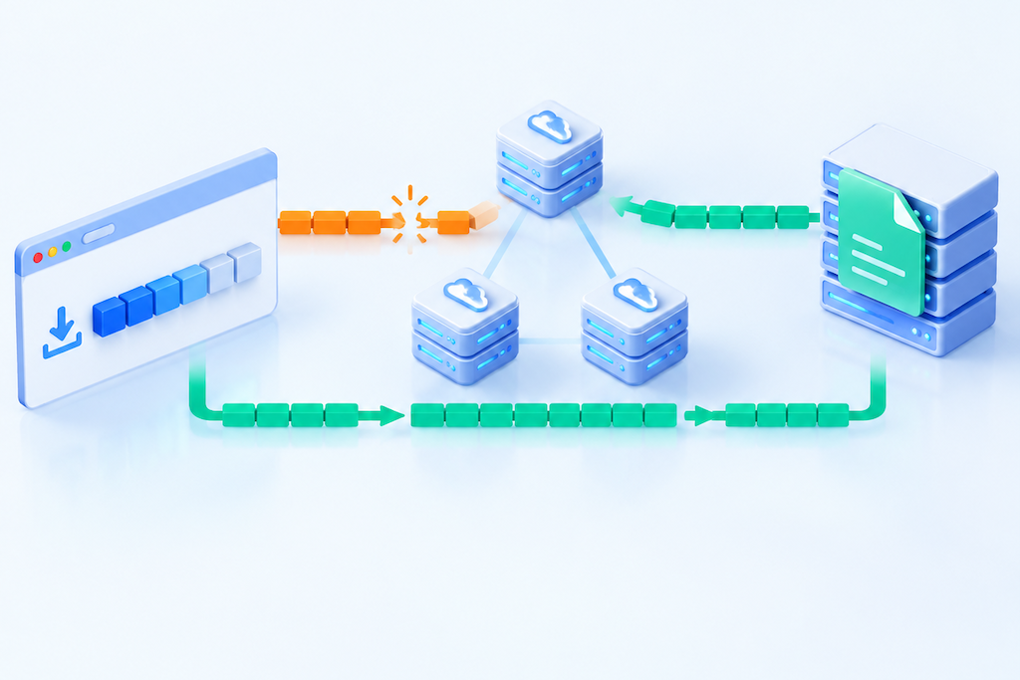
A replacement installer downloads normally from the beginning, but resuming an interrupted download returns 416. In another variation, the download finishes without an HTTP error and then fails its integrity check. Both problems call for checking the requested byte range against the file version. Once the content at a URL changes, an offset saved from the previous file may no longer be usable.
This guide focuses on resuming downloads after a file replacement, rather than basic Range support and CDN caching. The commands use public static files that you are authorized to download. Hostnames and IP addresses are examples, not results from testing your production environment.
What a 416 response tells you
416 Range Not Satisfiable means the requested range cannot be fulfilled. For byte ranges, a common cause is a starting offset beyond the current representation's length. Servers may also reject excessive or unreasonable ranges. A response will commonly include a header such as Content-Range: bytes */7340032, indicating the current representation's full length.[1]
Suppose a client saved the first 8 MiB of an earlier file, but the replacement is only 7 MiB long. Trying to continue at the 8 MiB offset can produce 416. A larger replacement—or one with exactly the same length—is not automatically safe either. An old prefix and a new suffix can form a corrupt file even when the server returns a valid 206 response.
Collect the original download URL, the outgoing Range header, the number of bytes already saved, and the ETag or Last-Modified value from the original response. Redact signed URLs, cookies, authorization headers, and private file details before sharing diagnostics.
Inspect a small range through the CDN
These examples use Bash and curl. On Windows, use curl.exe where necessary and adapt the line-continuation syntax. Choose a controlled public test file larger than 1 KiB:
curl -sS --max-time 30 -D range-headers.txt -o first-1k.bin \
  -H 'Accept-Encoding: identity' \
  -H 'Range: bytes=0-1023' \
  https://downloads.example.com/releases/app.zip
When this range is supported and fulfilled, expect 206 and a Content-Range identifying the returned offsets and full representation length. The requested segment is 1,024 bytes. For a single-part 206, Content-Length, when present, describes the returned segment; the number after the slash in Content-Range describes the complete representation. A HEAD request does not replace this actual range GET. Likewise, Accept-Ranges is a capability signal, not proof that every resumed transfer works.[3]
A server can ignore Range and return the complete representation with 200. Even this small-range test can therefore transfer a large object: use a controlled file and watch bandwidth. A downloader receiving 200 must handle it as a full response, not append it to an existing partial file.
Record ETag, Last-Modified, Content-Encoding, Content-Range, Age, and provider-specific cache-status headers. Requesting identity encoding helps reduce representation differences, but inspect the response rather than assuming the CDN honored the request or left the content unchanged.
Verify that resuming is conditional on the saved version
If the original response provided a strong ETag, the client can use If-Range to determine whether continuing at the saved offset is appropriate. Replace both the offset and ETag below with values from the same original download:
curl -sS --max-time 30 -D resume-headers.txt -o resumed-part.bin \
  -H 'Accept-Encoding: identity' \
  -H 'Range: bytes=8388608-' \
  -H 'If-Range: "saved-strong-etag"' \
  https://downloads.example.com/releases/app.zip
The command writes the response to a separate file; it does not merge it with the previous download. When the validator matches and the range can be satisfied, the server can return 206. When the If-Range validator does not match, the server should ignore the range and return the full representation with 200. The downloader must then restart or replace its temporary file instead of blindly appending the response.[2]
Do not use a weak ETag, identified by the W/ prefix, in If-Range. An HTTP date can also be used under the applicable conditions, but Last-Modified precision and reliability depend on the implementation. Do not substitute an arbitrary timestamp, and do not assume an object storage ETag is always an MD5 checksum. An ETag is a representation validator; its generation rules are implementation-specific.
A downloader that retains only the local byte count has no reliable basis for avoiding cross-version concatenation. After a known update, stop reusing unverified fragments, restart according to the application's recovery workflow, and validate the complete file against a trusted checksum published independently of the transfer.
Compare representation versions at the edge and origin
Different layers can serve different content at the same URL. Some edge locations may retain the old file while others fetch the replacement. Compare ETags, lengths, encodings, and actual segments using equivalent request headers and access permissions—not just status codes.
From an authorized diagnostic environment, you can connect to the origin while retaining the hostname, TLS SNI, and certificate verification:
curl -sS --resolve downloads.example.com:443:203.0.113.10 \
  -D origin-range-headers.txt -o origin-first-1k.bin \
  -H 'Accept-Encoding: identity' \
  -H 'Range: bytes=0-1023' \
  https://downloads.example.com/releases/app.zip
The IP address is reserved for documentation. If the origin accepts only CDN traffic, use an approved internal diagnostic route. Do not expose it publicly or add -k to bypass certificate verification. Check multiple origin instances, storage replicas, and release directories for inconsistent deployments.
Confirm whether the CDN forwards Range and If-Range, supports range caching, or changes the representation through compression or content transformation. Range fetching and cache storage differ by provider; do not assume every edge stores partial content in the same way. Age and cache-hit headers can help locate a response, but cannot prove it belongs to the expected version.
Purging the edge does not remove saved client fragments
If the origin has the correct replacement but the edge serves an older object, purge the original file URL according to the actual cache key. Check hostname, path case, query-string handling, encoding variants, and relevant rules, then confirm invalidation scope in the provider's documentation. Adding a random query parameter creates a separate object only if the parameter participates in the cache key and the access policy permits it; it is not a universal repair.
After invalidation, check a small-range GET, a real resumed transfer, and the final file's integrity. A full-site purge can sharply increase origin traffic, so limit the scope and assess capacity. Edge invalidation cannot delete a browser's or downloader's temporary file. Support instructions need to explain when fragments can be kept and when the download must restart.
If file contents changed but the ETag did not, repair validator generation or the release process. Changing the cache lifetime alone cannot make resuming safe. Also check whether a reverse proxy strips If-Range, whether the downloader appends a 200 response, and whether an edge transformation preserves a validator that no longer describes the delivered representation.
Give each release a stable, versioned address
A more robust release design uses an immutable path containing a version or content hash, such as /releases/v2/app.zip. Keep that object's contents stable. Point a download entry, update manifest, or latest-version page to the new versioned URL when it is ready. Access controls and signature lifetimes still need to accommodate expected download and retry behavior.
Prepare the file, its length, trusted checksum, and metadata before exposing the release. Ensure that a publicly readable object is always complete. Avoid overwriting a file while it is being read; an atomic switch may be appropriate on a local filesystem, while other storage systems require different publishing mechanisms. Verify the new object before changing the entry point, and retain previous releases for a compatibility period suited to the application.
For rollback, restore a verified version entry and review its cached responses. Do not silently replace the contents of an already distributed versioned URL. Decide when to delete an old object based on in-flight downloads, client update cycles, and storage policy.
Acceptance testing should cover full downloads, pause-and-resume behavior, old partial files after an update, ranges beyond the current length, and version consistency across relevant locations. Record the status code, Content-Range, validators, and final checksum result. Those details distinguish a range error from a stale cached object or a downloader's merge bug.
References
Sources checked for the paired article on October 27, 2026. Consult your CDN's documentation for its specific range-caching and header-forwarding behavior.
