

CDN Hotlink Protection: Referer Configuration and Best Practices
Last year, a client came to me looking defeated: "My CDN bill tripled this month. Traffic didn't increase. Am I being scammed?"
I opened their CDN dashboard and sorted traffic by Referer. The top referrer wasn't their own domain – it was a completely unfamiliar website. Their images were being hotlinked by another site.
Worse, their hotlink protection was configured with a Referer whitelist – but they had allowed empty Referers. Attackers simply made requests without a Referer header, bypassing the whitelist entirely.
This is the most common CDN security pitfall: not failing to set up hotlink protection, but setting it up wrong.
01 What Is Hotlinking?
Hotlinking happens when another website directly embeds your CDN resources – images, videos, CSS files – by linking to your CDN URLs. Every time a user visits that site, your CDN serves the resource, and you pay the bandwidth bill.
Why is it hard to stop?
Your CDN resources are publicly accessible by design. Attackers don't need to crack a password – they just need your resource URL. If your Referer configuration has loopholes, hotlinking continues unchecked.
How attackers bypass basic protection:
Forge the Referer header (curl can do this easily)
Exploit "allow empty Referer" if that option is enabled
02 How Referer Protection Works
Referer is an HTTP header that tells the server which page the user came from. For example, when a user loads an image on www.yourdomain.com, the request includes Referer: www.yourdomain.com.
Whitelist mode: Only allows requests from specific domains. Others are blocked.
Blacklist mode: Blocks specific domains. All others are allowed.
The catch: Requests without a Referer header may or may not be allowed. That's where most mistakes happen.
03 The Empty Referer Problem
Empty Referer occurs when an HTTP request has no Referer header or an empty value.
Legitimate empty Referer scenarios:
Users typing the URL directly into a browser
Bookmarked links
Some mobile apps and embedded browsers
How attackers exploit empty Referer:
If you use a whitelist but allow empty Referer, attackers can simply craft requests that omit the Referer header entirely. The CDN sees no Referer, finds "allow empty" enabled, and permits the request – bypassing the whitelist.
That client's exact problem. Attackers used scripts to request image URLs without a Referer, and the whitelist did nothing.
04 Configuring Referer Protection Correctly
Step 1: Choose the right mode
For most businesses, whitelist mode is the right choice. List your own domains, and block everything else.
Step 2: Use wildcards correctly
*.example.com matches all subdomains. example.com only matches the exact domain. If your site uses www.example.com, api.example.com, and static.example.com, use *.example.com or list each one.
Step 3: Decide on empty Referer
If your business cannot allow empty Referer – requests without Referer are blocked.
If empty Referer is needed – consider adding URL authentication or IP-based restrictions as additional layers.
05 URL Authentication: Harder to Bypass
Referer can be forged. Tools like curl can set any Referer value. For valuable resources, you need stronger protection.
How URL authentication works: CDN nodes verify a signature in the request URL. Only requests with correctly signed URLs can access the resource.
The flow:
Your server generates a signed URL using a secret key
The URL includes a timestamp and an MD5/SHA256 signature
Valid requests get the resource. Invalid ones get HTTP 403
That client enabled URL authentication for core image resources. Hotlinking stopped completely.
Key differences from Referer protection:
| Feature | Referer Protection | URL Authentication |
|---|---|---|
| Can be forged | Yes | No (cryptographic) |
| Time-limited URLs | No | Yes |
| Protection level | Basic | Strong |
| Complexity | Low | Higher |
The Bottom Line
The client fixed their configuration: disallowed empty Referer, tightened the whitelist, and added URL authentication for core resources. The next month's bill returned to normal.
Their ops lead later said: "I thought hotlink protection was just flipping a switch. Now I know – empty Referer is the biggest leak."
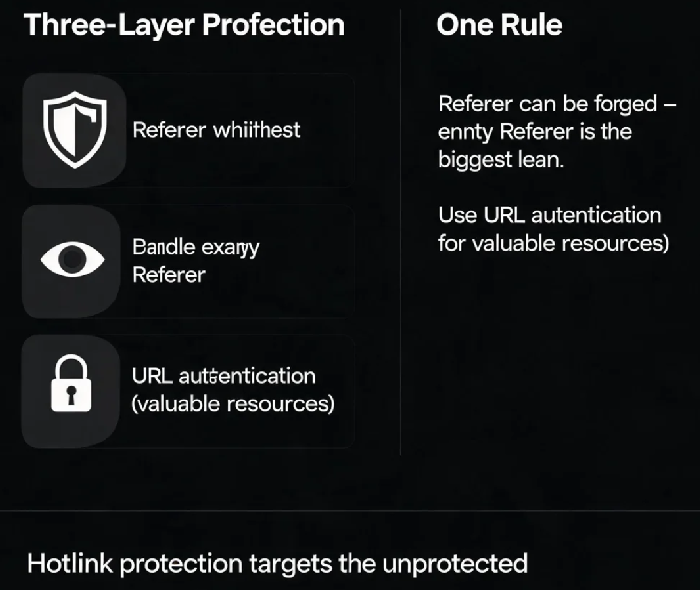
Three layers of CDN protection:
Referer whitelist – block basic hotlinking
Handle empty Referer carefully – don't leave a loophole
URL authentication – protect valuable resources
CDN hotlinking doesn't target "secure" systems – it targets unprotected ones. Configure correctly, and the problem disappears.
