

CDN Cache Tags and Fine‑Grained Purge: Stop Clearing Everything at Once
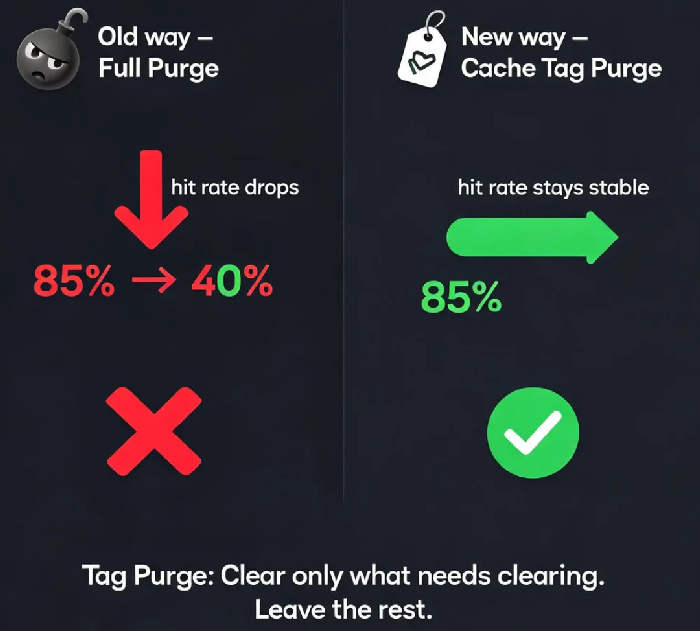
Last year, a client would purge their entire cache every time they updated content. Their hit rate dropped from 85% to 40% overnight. Origin bandwidth shot up. Their explanation: "I know a full purge hurts the hit rate, but users need to see the new content."
I told them: "Let me introduce you to cache tags."
Default CDN purging—URL and directory—is a blunt instrument. You either clear a single file or an entire directory. Cache tags offer a more refined approach. You can tag cached content by type, business module, or any other dimension, and then purge only what needs updating.
01 The Cost of Two Common Purge Methods
URL purge: Deletes the cache for a single file. Precise, but impractical when an update involves dozens or hundreds of files.
Directory purge: Clears everything under a path. Simple and broad, but it flushes large amounts of cache, triggering a surge of origin requests .
That client was using directory purge. Every time they updated a few articles, they flushed the entire /news/ directory. All those cached entries gone. The hit rate tanked.
02 Cache Tags: A Third Option
Cache tags let you purge content by logical groupings rather than by file or folder . CDN providers like Akamai allow you to add an Edge-Cache-Tag header to cached objects; tags can also be defined at the origin level . With a tag‑based purge, you submit a list of tags—not URLs—and the CDN removes only the content carrying those tags, leaving everything else intact.
How it works:
Assign tags to cached content (e.g.,
type:news,module:homepage)When content changes, submit the corresponding cache tags for purge
Both Alibaba Cloud and Tencent Cloud offer similar cache‑tagging capabilities that allow targeted purges by logical groups.
03 Designing a Tag Strategy
A well‑designed tag strategy makes updates precise and safe.
By content type: static:img, static:css, dynamic:api
By business module: module:homepage, module:product, module:news
By update frequency: daily, weekly, etc.
With a thoughtful strategy, a content update can be applied to exactly the affected items without disturbing the rest of the cache.
04 Purge First, Then Preheat
For content updates, the standard workflow is purge first, then preheat . Purge clears the old cache. Preheat pushes the fresh content to edge nodes before users request it. Together, they keep the hit rate stable while ensuring users see the latest version.
The Bottom Line
That client switched to tag‑based purging, clearing only the type:news tag when articles were updated. The hit rate stayed above 80%, and origin pressure dropped.
A full purge should be a last resort, not your daily habit. Cache tags are the right tool for regular content updates. Is your CDN still taking a sledgehammer to a problem that calls for a scalpel?
