Cloud Common Failure Patterns and Rapid Recovery Playbook: Follow the Steps, Don’t Panic
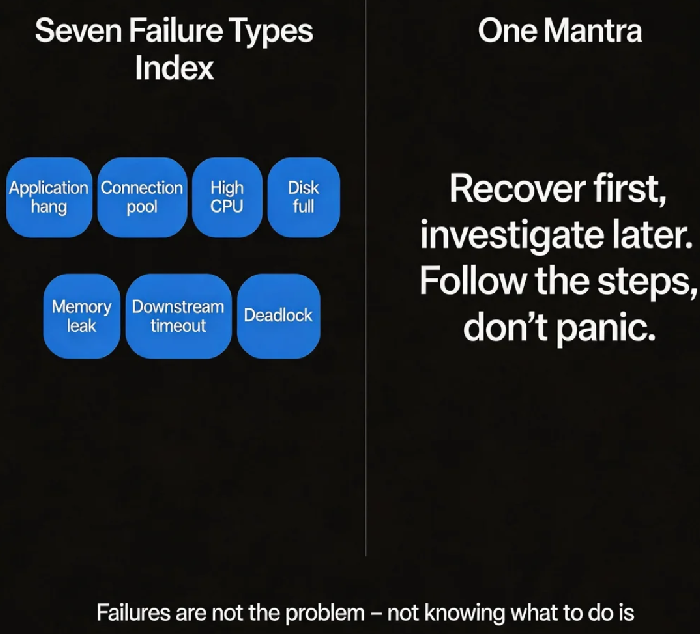
It’s 3 AM. Your phone buzzes. “Order service is down.” You stumble to your laptop, open the dashboard, and stare at a wall of red graphs. Your mind goes blank. Where do you start? Logs? CPU? Should I restart?
Every operations engineer has been there. The failure itself isn’t the worst part. Panic is.
What if you had a playbook? Open the right page, follow the steps, recover. No guessing. No panic.
This is a collection of common cloud failure patterns and their rapid recovery procedures. Not theory. Actionable steps. When a failure hits, open the relevant section and follow the list.
01 Failure: Application Hangs (Process Alive, No Response)
Symptoms: Health checks fail or time out. Monitoring shows no response, but the process is still running.
Quick diagnosis:
Try to access the service (curl / browser) – no response or timeout.
ps aux | grep java– process exists.curl localhost:port/health– no response.
Recovery steps:
Restart the service immediately. In Kubernetes, this is automatic if
livenessProbeis configured.If restart doesn’t help, check logs for deadlocks or thread pool exhaustion.
Remove the node from the load balancer so other nodes take traffic.
Verification: Health checks pass. Requests succeed.
Post‑recovery: Capture a thread dump (jstack) to analyse the deadlock or stuck code.
02 Failure: Database Connection Pool Exhaustion
Symptoms: Application logs show “Timeout waiting for connection.” Response times increase or time out.
Quick diagnosis:
Check connection pool metrics – active connections near the maximum.
Check database connections – are they close to the limit?
Recovery steps:
Temporarily increase the connection pool limit (e.g., 20 → 50). This is a stop‑gap.
Restart the application to release stuck connections.
If the database limit is hit, temporarily increase
max_connectionson the database.
Verification: Application recovers. Active connections drop.
Post‑recovery: Look for connection leaks (unclosed connections). Check for slow queries holding connections too long.
03 Failure: Sustained High CPU
Symptoms: CPU >80% sustained. Response times increase.
Quick diagnosis:
top– which process is consuming CPU?For Java,
top -H -p <pid>to see which thread.
Recovery steps:
If high CPU is due to normal business growth, scale out.
If it’s abnormal (infinite loop, heavy computation), restart the service.
Emergency workaround: temporarily reduce log level to reduce logging overhead.
Verification: CPU drops. Response times return to normal.
Post‑recovery: Use a flame graph to locate the hottest code path.
04 Failure: Disk Full
Symptoms: Disk usage >90%. Services may fail because they cannot write logs.
Quick diagnosis: df -h
Recovery steps:
du -sh /* | sort -rh | head -10– find the largest directories.Clean logs:
find /var/log -type f -mtime +7 -deleteClean temporary files:
/tmp,/var/tmpExpand the disk (most cloud providers support online expansion).
Verification: Disk usage drops. Services recover.
Post‑recovery: Check log rotation settings. Is logging too aggressive? Look for core dump files.
05 Failure: Memory Leak
Symptoms: Service becomes slow after running for a while. Restart fixes it temporarily, then it slows again.
Quick diagnosis:
Memory usage rises continuously and never falls.
After a restart, memory returns to normal, then climbs again.
Recovery steps:
Restart the service – immediate recovery (temporary).
Configure automatic restart (Kubernetes
livenessProbe).If automatic restart isn’t possible, increase memory limit as a temporary buffer.
Verification: After restart, memory returns to normal.
Post‑recovery: Capture a heap dump and analyse which objects are leaking.
06 Failure: Downstream Dependency Timeout
Symptoms: API response time increases. A distributed trace shows high latency in a downstream call.
Quick diagnosis:
In the trace, identify the slow downstream call.
Call the downstream service directly to confirm slowness.
Recovery steps:
Temporarily reduce the timeout so calls fail fast.
Open a circuit breaker and fall back to a default value or cached response.
Notify the downstream team.
Verification: API response time returns to normal (even if degraded data is returned).
Post‑recovery: Is the downstream service under‑provisioned? Network issue? Code bug?
07 Failure: Deadlock
Symptoms: Service is unresponsive but does not report errors. Threads appear stuck.
Quick diagnosis:
Capture multiple thread dumps (
jstack). Multiple threads are waiting for the same lock.Logs show no errors, but requests never return.
Recovery steps:
Restart the service – the only fast remedy.
If restart isn’t possible, try killing the blocked thread (not recommended – may leave inconsistent state).
Verification: After restart, the service recovers.
Post‑recovery: Analyse the code’s lock ordering to prevent circular waiting.
The Bottom Line
Failures are not the problem. Not knowing what to do when they happen is the problem.
Keep this playbook somewhere accessible. When an alert fires, don’t panic. Find the matching pattern. Follow the steps. Recover first. Investigate later.
That client’s ops lead put this playbook on the team wiki homepage. After every incident, they updated it. He said: “We used to rely on tribal knowledge. Now even a new engineer can follow the steps and recover.”
Does your team have a failure playbook yet?